DOM XSS Angular JS Expression-PostSwigger Lab Walthrough
Introduction
In this blog, we will explore DOM- based Cross-SIte Scripting (XSS) in Angular JS using a PotSwigger lab. This vulnerability allows an attacker to execute JavaScript code by injecting an expression within an Angular JS directive.
Understanding the Vulnerability
Angular JS expressions are enclosed in {{ }} and get evaluted dynamically.
When user input is inserted into an AngularJS expression, it may allow malicious JavaScript execution.
This lab demonstrates a case where angle brackets (< >) and double quotes (“ “) are HTML-encoded, but AngularJS expressions can still be exploited.
Identifying the Vulnerability
The search functionality processes user input within an AngularJS expression.
Since {{ }} can be used to execute JavaScript, we can attempt an attack.
Crafting the Payload
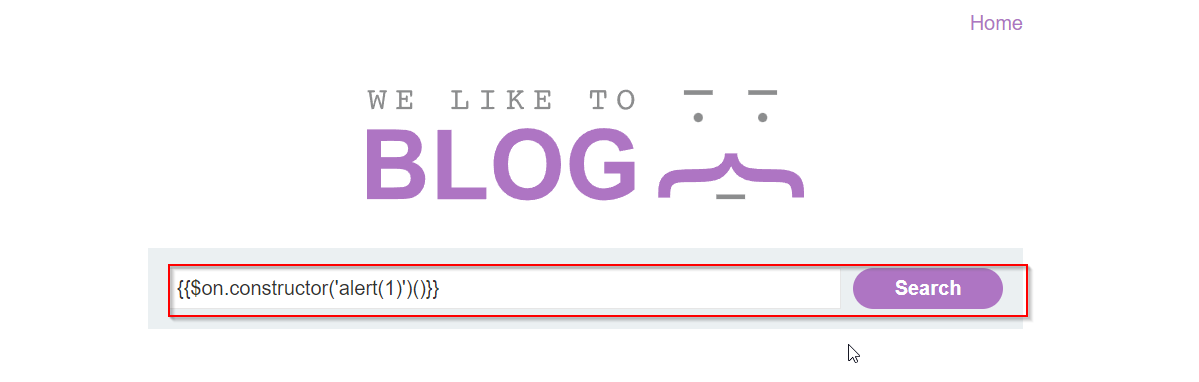
To exploit this, inject the following payload:
{{constructor.constructor(‘alert(1)’)()}}
Explanation:
constructor.constructorallows us to execute JavaScript functions dynamically.alert(1)triggers a popup, proving XSS exists.
Executing the Payload
Enter the payload into the search box (or relevant input field).
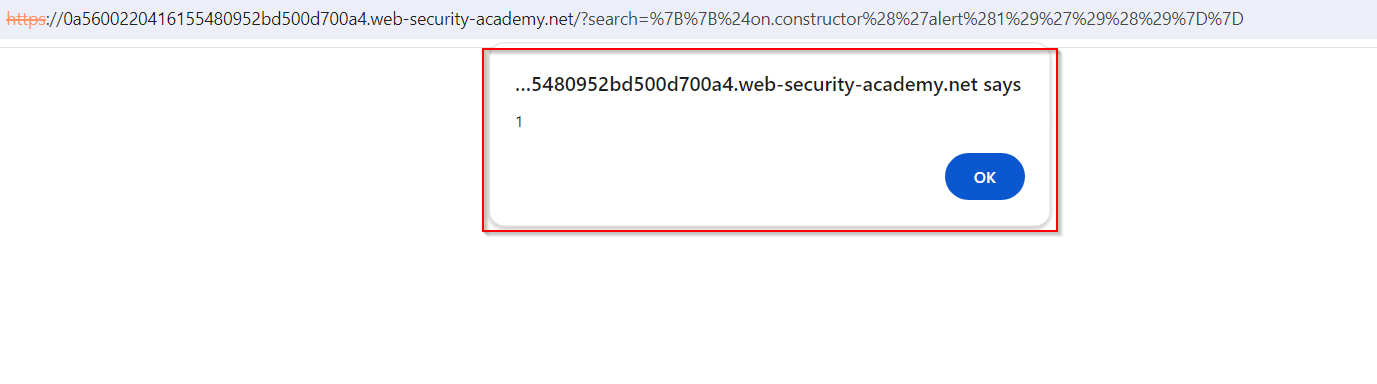
Submit the form and observe if the JavaScript executes.
If successful, ana alert box will pop up.
Mitigation
Disable AngularJS expressions where not needed.
Use Content Security Policy (CSP) to block inline scripts.
Escape user input properly to prevent execution.
Conclusion
This lab demonstrates how DOM-based XSS can occur in AngularJS expressions.
User input should never be trusted when injected into the DOM without sanitization.
Always follow secure coding practices to prevent XSS vulnerabilities.